
How to Create Platform-Specific Covers and Thumbnails From One Video
Quick answer
Quick answer
Learn how to derive multiple cover assets from one source while respecting different crops, text density and viewing surfaces with a practical multi-platform workflow

Table of contents
Explore VidRango platform workflows
YouTube Video Optimizer
Prepare your source video for long-form YouTube publishing.
YouTube Shorts Video Maker
Create a platform-ready YouTube Shorts version.
Facebook Reels Video Maker
Prepare a dedicated Facebook Reels version.
Instagram Reels Video Maker
Turn your source into an Instagram Reels-ready output.
TikTok Video Maker
Prepare a vertical TikTok version from the same upload.
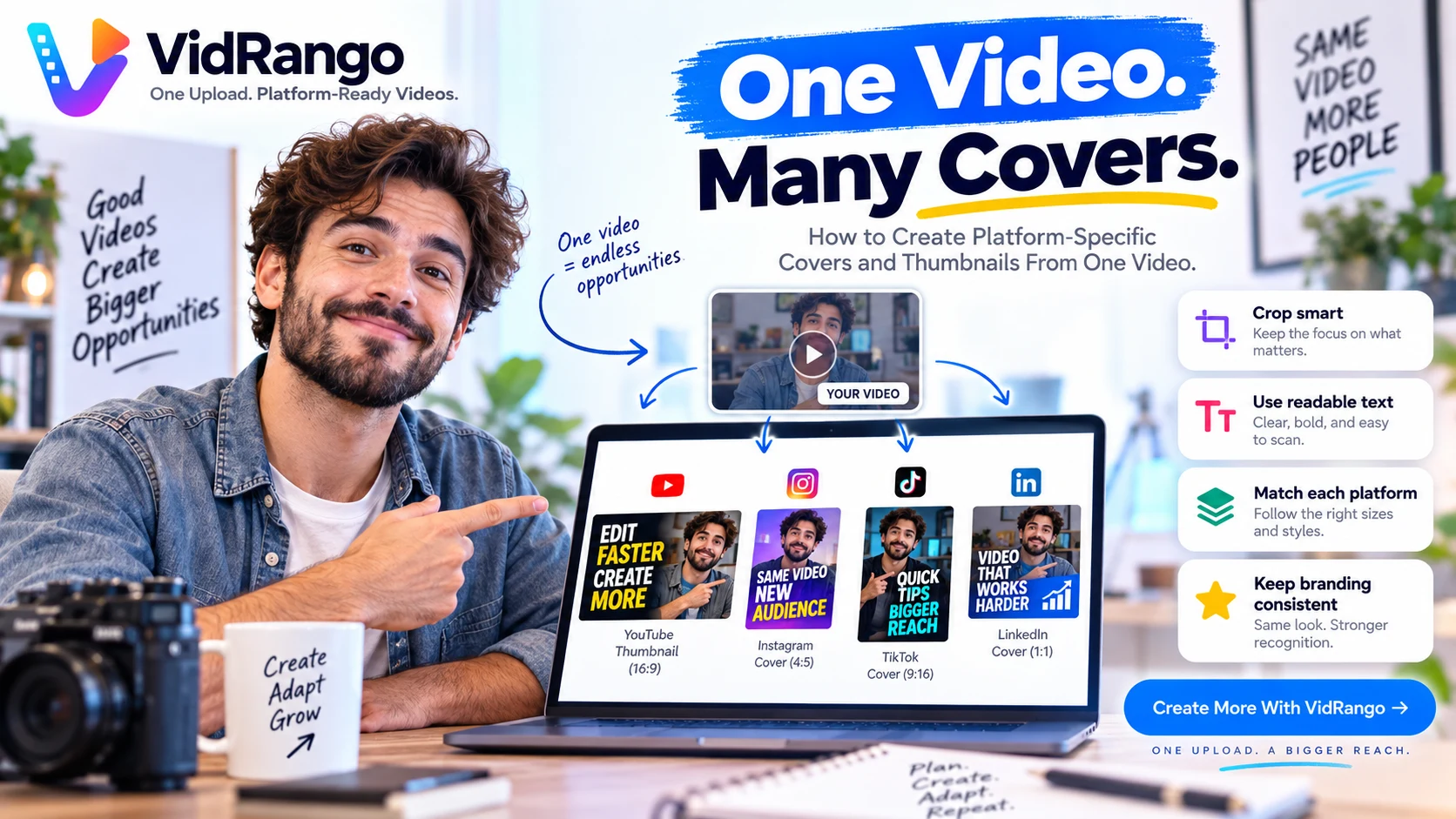
How to Create Platform-Specific Covers and Thumbnails From One Video is less about applying one universal preset and more about building a repeatable decision process. The practical goal is to derive multiple cover assets from one source while respecting different crops, text density and viewing surfaces. When that process is consistent, the same source can be prepared for more than one destination without turning every export into a separate editing project.
This guide focuses on the practical process behind platform-specific video covers and thumbnails: what to check first, how to work through the file, which mistakes create avoidable rework, and how to finish with a version that is easier to publish confidently.
What to Get Right First
Before you render anything, decide what must remain unchanged and what is allowed to adapt. For this topic, the most important checkpoints are:
- Start from a sharp frame that represents the actual video. Treat this as a deliberate checkpoint rather than something to notice after export.
- Design horizontal and vertical cover versions separately. Treat this as a deliberate checkpoint rather than something to notice after export.
- Keep faces and key text away from crop-sensitive edges. Treat this as a deliberate checkpoint rather than something to notice after export.
- Use short readable copy rather than miniature paragraphs. Treat this as a deliberate checkpoint rather than something to notice after export.
- Maintain a recognizable brand system without forcing identical layouts. Treat this as a deliberate checkpoint rather than something to notice after export.
- Preview covers at the small size people will actually see. Treat this as a deliberate checkpoint rather than something to notice after export.
These checkpoints work together. A technically correct export can still feel wrong if the subject is poorly framed, the captions are hard to read, the audio is inconsistent, or the final file is confused with another platform version.

Step-by-Step Workflow
Step 1: Start from a sharp frame that represents the actual video
Make this decision before moving to the next stage. The purpose is not to add more processing; it is to protect the viewer-facing result while keeping the workflow easy to repeat. After applying the change, compare it against the approved source so you can spot accidental cropping, quality loss, timing changes or visual clutter early.
Step 2: Design horizontal and vertical cover versions separately
Make this decision before moving to the next stage. The purpose is not to add more processing; it is to protect the viewer-facing result while keeping the workflow easy to repeat. After applying the change, compare it against the approved source so you can spot accidental cropping, quality loss, timing changes or visual clutter early.
Step 3: Keep faces and key text away from crop-sensitive edges
Make this decision before moving to the next stage. The purpose is not to add more processing; it is to protect the viewer-facing result while keeping the workflow easy to repeat. After applying the change, compare it against the approved source so you can spot accidental cropping, quality loss, timing changes or visual clutter early.
Step 4: Use short readable copy rather than miniature paragraphs
Make this decision before moving to the next stage. The purpose is not to add more processing; it is to protect the viewer-facing result while keeping the workflow easy to repeat. After applying the change, compare it against the approved source so you can spot accidental cropping, quality loss, timing changes or visual clutter early.
Step 5: Maintain a recognizable brand system without forcing identical layouts
Make this decision before moving to the next stage. The purpose is not to add more processing; it is to protect the viewer-facing result while keeping the workflow easy to repeat. After applying the change, compare it against the approved source so you can spot accidental cropping, quality loss, timing changes or visual clutter early.
Step 6: Preview covers at the small size people will actually see
Make this decision before moving to the next stage. The purpose is not to add more processing; it is to protect the viewer-facing result while keeping the workflow easy to repeat. After applying the change, compare it against the approved source so you can spot accidental cropping, quality loss, timing changes or visual clutter early.
Once the steps are complete, export a final candidate and watch it from beginning to end. Check it at normal viewing size on a phone or laptop, because small previews can hide problems that become obvious in the real feed.
Common Mistakes to Avoid
- Stretching one thumbnail into every aspect ratio. This usually creates a problem that is faster to prevent than to repair after publishing.
- Placing tiny text on mobile-first covers. This usually creates a problem that is faster to prevent than to repair after publishing.
- Choosing a dramatic frame that misrepresents the content. This usually creates a problem that is faster to prevent than to repair after publishing.
- Covering faces with badges or logos. This usually creates a problem that is faster to prevent than to repair after publishing.
The pattern behind most publishing mistakes is the same: a shortcut is applied globally even though the source changes from shot to shot or the destination changes from platform to platform. Build the workflow around reviewable stages instead.
Final Quality-Control Checklist
- The correct source and latest revision were used.
- The target aspect ratio, framing and resolution are correct.
- Captions, text and logos stay clear of important visual content.
- Speech is understandable and background music does not compete with it.
- The cover, title and metadata match the actual video.
- The finished export was watched from start to finish before scheduling.

How This Fits a Multi-Platform Workflow
A good workflow for platform-specific video covers and thumbnails should reduce repeated manual work without removing the final review that protects quality. VidRango is designed around one source upload becoming separate platform-ready versions, with reframing, captions, audio, branding and publishing assets handled as connected stages rather than unrelated edits.
If you want to see the workflow in context, explore VidRango workflow options and compare them with the way you currently prepare each platform version.
Related Reading
Frequently Asked Questions
What is the best starting point?
Start with the highest-quality approved source and define the target output before changing anything. Then work through the visual, caption, audio and metadata checks in order so you can trace problems back to a specific stage.
Can one source video be used for multiple platforms?
Yes. The source can stay the same while framing, captions, covers, metadata and sometimes intro or outro treatment change by destination. The safest workflow keeps one approved master and creates clearly named platform versions from it.
How do I know the final version is ready to publish?
Watch the exported file from start to finish, not just the editing timeline. Confirm that the subject remains visible, captions are readable, audio is balanced, branding is unobtrusive and the selected file matches the intended platform.
Final Takeaway
The most reliable way to approach platform-specific video covers and thumbnails is to use a repeatable checklist instead of solving the same problems from scratch every time. Protect the source, adapt only what the destination requires, and make the final exported file—not the editing preview—the last approval point.
Keep exploring
Related VidRango guides and resources
Short-Form Video Publishing Checklist 2026: Format, Captions, Cover and Metadata
Learn how to run one repeatable pre-publish checklist for vertical short-form output while leaving room for platform-specific details with a practical multi-platform workflow
Vertical Reel Publishing Checklist 2026: Format, Safe Zones, Captions and Cover
Learn how to prepare a reel-style vertical video so the core message remains visible after platform controls and feed crops are applied with a practical multi-platform workflow
Intro and Outro Best Practices for Long-Form, Short-Form and Vertical Videos
Learn how to use branding and calls to action without slowing down the opening or wasting valuable short-form viewing time with a practical multi-platform workflow, quality-control
Ready to simplify multi-platform publishing?
Upload One Video. Get Every Platform Version.
Prepare dedicated versions for YouTube, YouTube Shorts, Facebook Reels, Instagram Reels and TikTok through one VidRango workflow.